again!
a personal, localhost-first developer practice app that combines conceptual quiz with an interactive coding workbench.
While taking courses on DataCamp, I ran into a real limitation in how I was learning. DataCamp does include hands-on exercises within courses, but the volume was simply not enough. Their Conceptual Practice questions are repetitive, and their hands-on coding practice are simply not enough (and too easy, because most of the times it is just fill in the blanks). When learning something like SQL and Python, I needed to solve many more problems to actually build muscle memory.
Furthermore, I found myself taking plenty of notes, but note-taking alone does only around 10% of knowledge retention. And, I need to somehow have some application of it so that I can learn more and store that information longer in my brain.
That is why, what if I create my own platform for that? And for this, I kind want to not have that AI assistance shenanigans in my learning platform. I'm gonna learn like a normal human being.
(I'll only use AI to assist me to create this app XD)
for this app, I wanted two things:
- Conceptual review questions (multiple choice, True/False, and fill-in-the-blanks) drawn directly from my own study notes rather than repetitive generic question banks (although this will be repetitive for now, since I need a ton of questions for it to not feel like repetitive).
- An interactive workbench where I could solve practical coding problems, like SQL and Python challenges, that mirrored the exact curriculum I was working through. (I'm learning data engineering that is why those said languages are my priority for now)
Note: I built this strictly for my own personal use and made it localhost-first by design. Running arbitrary Python and SQL safely requires Docker sandboxing so a bad script or DROP TABLE doesn't nuke the host server. Since spinning up Docker containers in the cloud costs real money—and free tiers like Vercel or Railway either don't support container sandboxing or lack the RAM to scale it for multiple users—running it on localhost was the ultimate broke-builder move. It’s 100% free, runs at native speed with zero cold starts, and gives me complete control over my data and study schedule.
How It Works
The app gives me a focused space on my local machine split into two primary modes:
1. Conceptual Question Review
 zoom_in
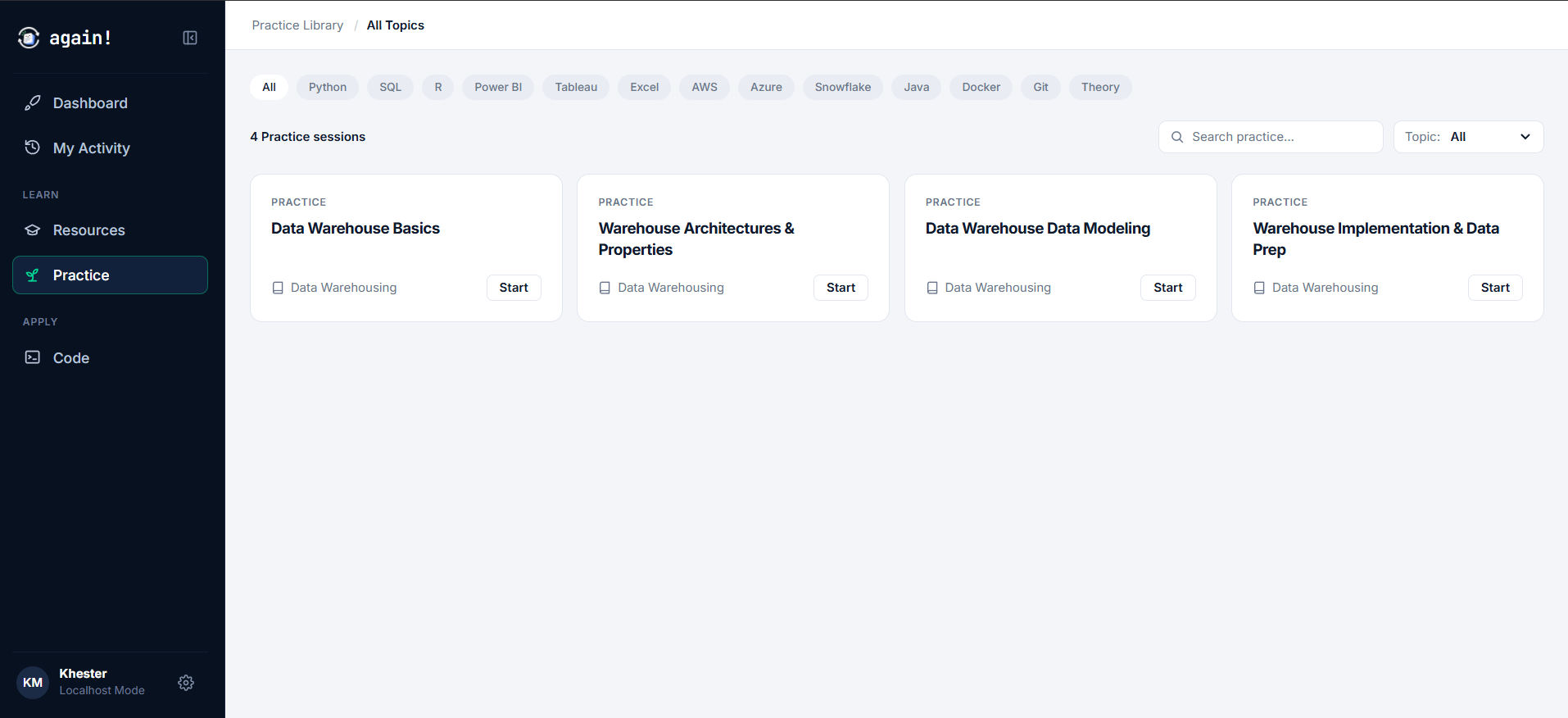
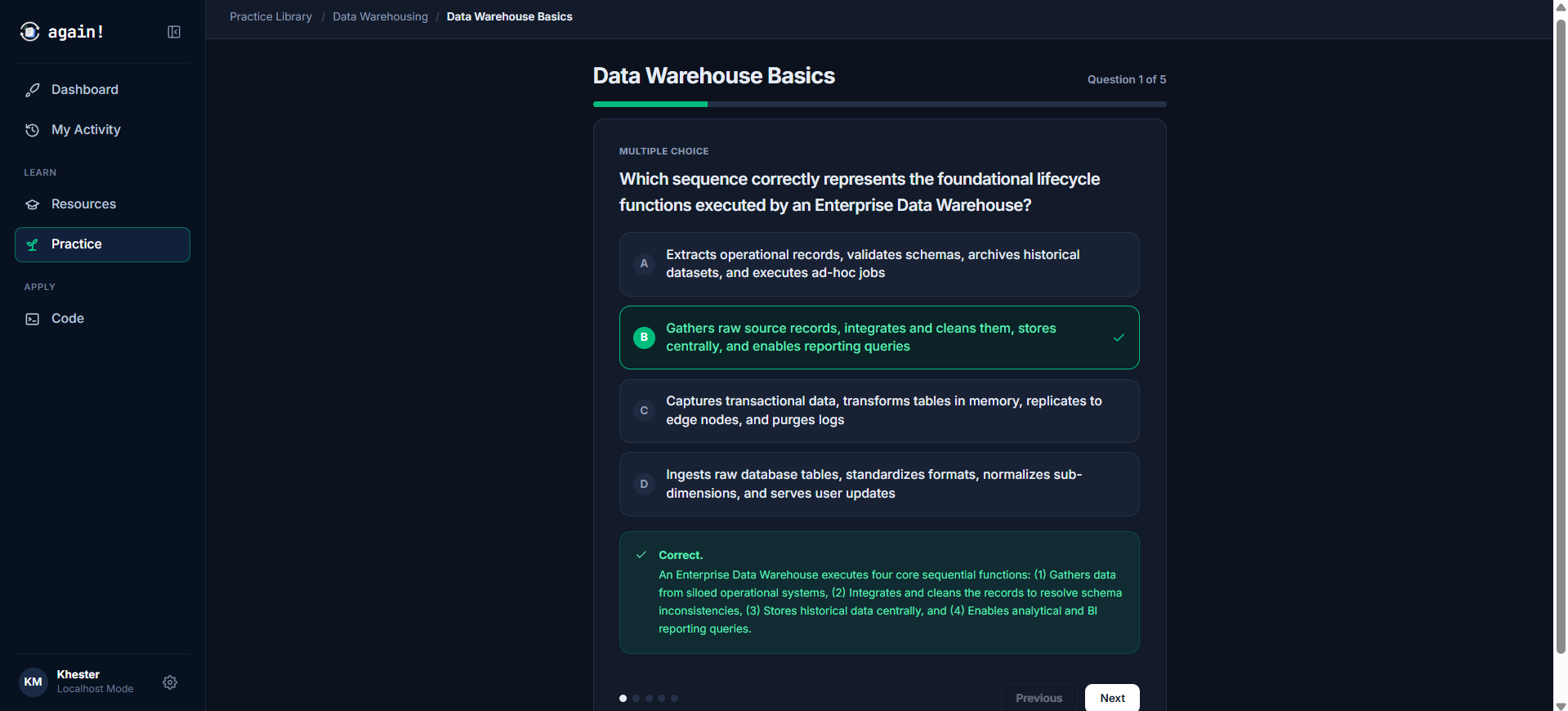
A clean flashcard and quiz interface that tests core ideas:
- Multiple Choice Questions: Testing distinctions between functions, syntax, and concepts.
- True/False Checks: Quick sanity checks on core rules.
- Fill in the Blanks: Active syntax recall for queries and code snippets.
 zoom_in
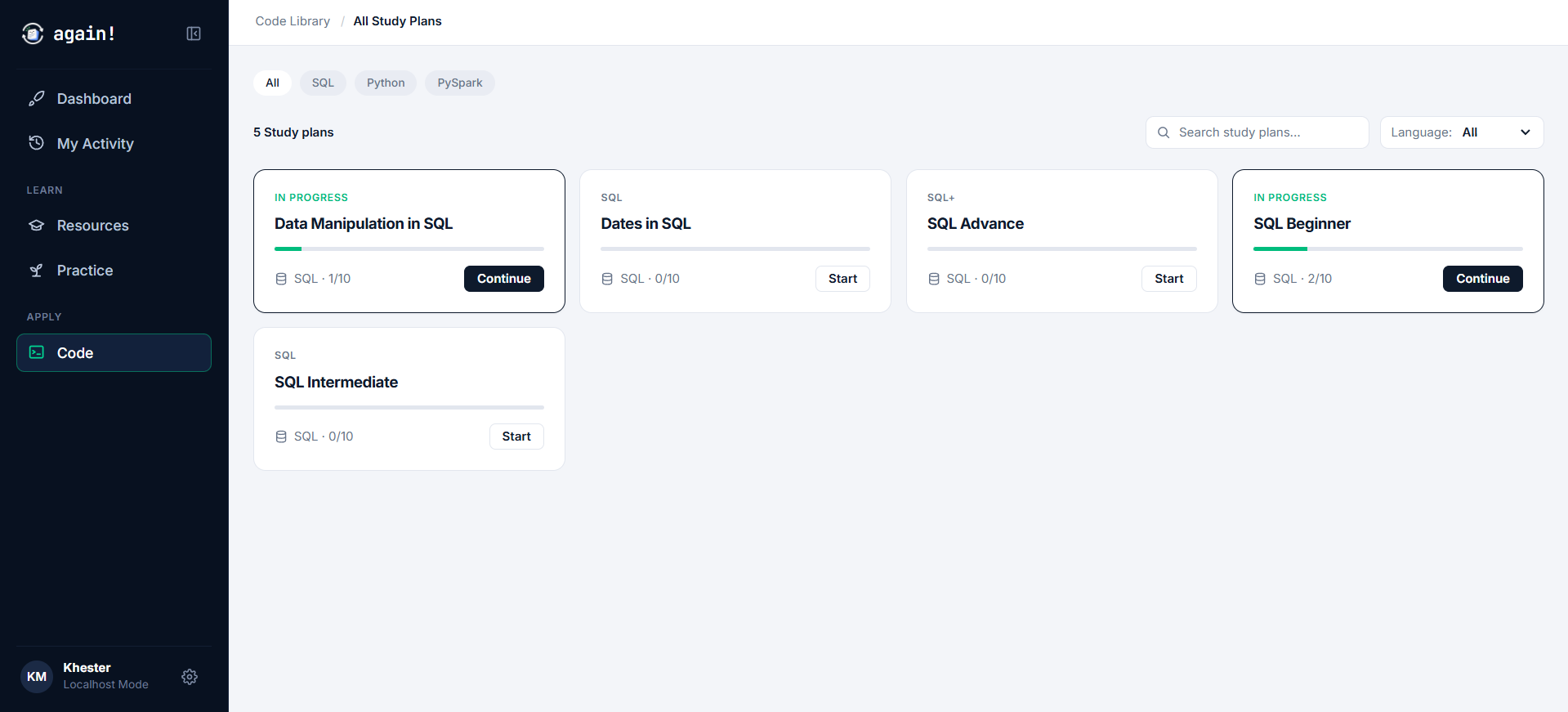
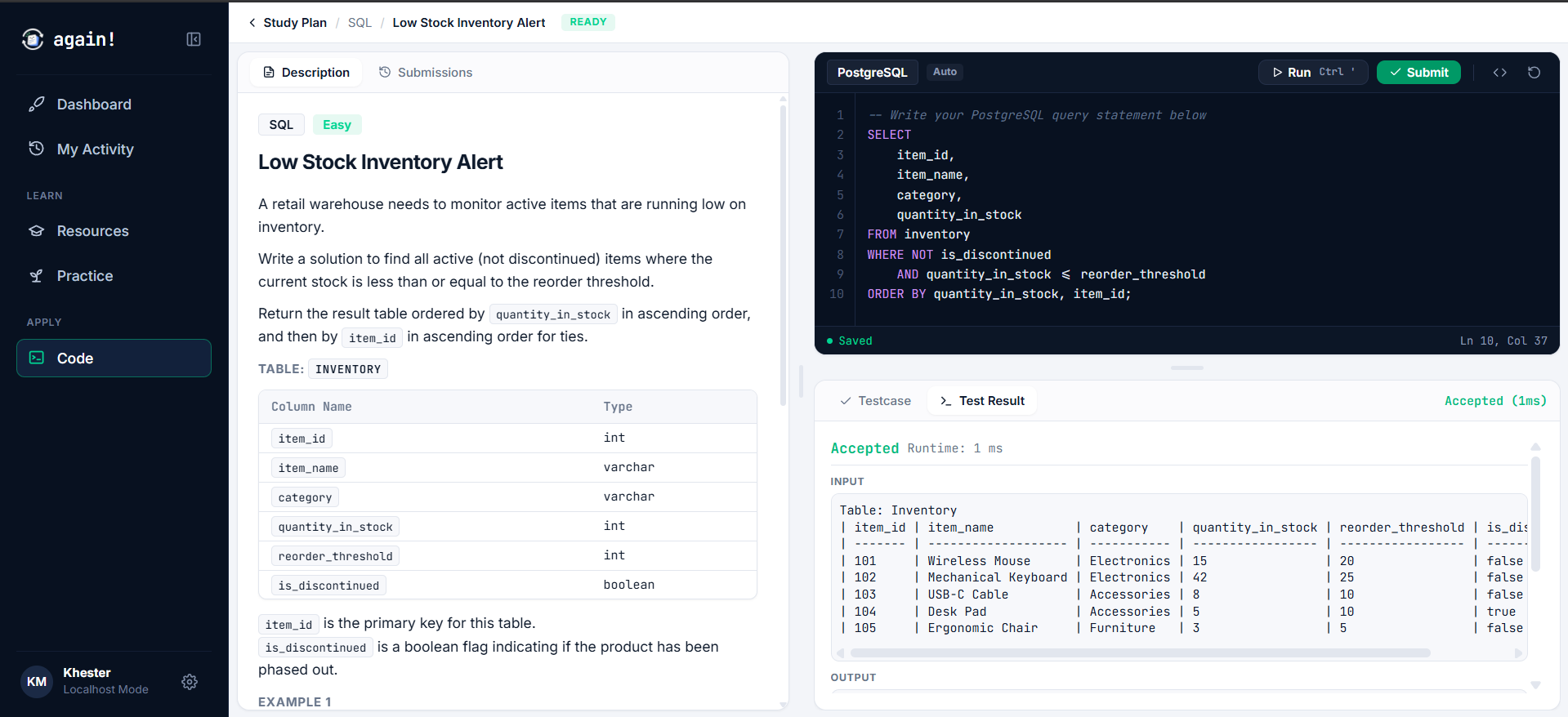
2. Hands-On Coding Workbench
 zoom_in
A LeetCode-style workbench with a split-pane view:
- Problem Statement & Schemas: Explaining the challenge and showing sample data tables.
- Code Editor: A place to write SQL queries or Python solutions.
- Instant Test Evaluation: A run button that evaluates the code against test cases and displays the actual results alongside expected outputs.
 zoom_in
3. The Knowledge Pipeline: From Obsidian Notes to Working Code
The core of this system is how new practice problems get created. Instead of writing challenge problems by hand in a database, I let my existing study notes do the work:
[Obsidian Vault (Course Notes)]
       |
       v (Custom Workspace Subagent)
[Seed Python Scripts]
       |
       v (Internal Catalog Populator API)
[again! Workbench (PostgreSQL + Python Runner)]
Here is how the loop works:
- As I go through a course, I write all my notes inside my personal Obsidian vault (which is just a folder of structured Markdown files on my computer).
- A custom workspace-level subagent reads these notes as its single source of truth.
- The subagent automatically authors seed Python scripts (such as
seed_sql_intermediate.pyandseed_data_warehousing_concepts.py). - These seed scripts call the application's internal catalog populator API, inserting new conceptual quiz cards and coding problems directly into my local database.
Whenever I finish a new chapter in my notes, the subagent turns those notes into fresh quiz questions and coding challenges ready to be practiced in the app.
Tech Stack
I kept the stack minimal and focused on what was needed to run smoothly on my laptop:
- Frontend: Vanilla TypeScript + Vite + Tailwind CSS. Kept lightweight without the overhead of heavy frontend frameworks.
- Backend: FastAPI (Python). Provides a fast local API for serving catalog questions, saving submissions, and executing code.
- Database: PostgreSQL running locally via Docker Compose. Stores the study plans, problem descriptions, test fixtures, and submission history.
Safe Query Execution
To let me practice writing SQL queries freely without corrupting my local database tables, the query runner wraps every execution in a temporary transaction:
# backend/runner/postgres.py
conn.autocommit = False
cur = conn.cursor(cursor_factory=RealDictCursor)

try:
    if setup_sql and setup_sql.strip():
        cur.execute(setup_sql)

    cur.execute(user_sql)
    # fetch results and compare with expected output...
finally:
    # Always rollback changes to guarantee execution isolation
    conn.rollback()
    cur.close()
    conn.close()
Every time I run a query, the runner creates the test tables, executes my SQL, checks the output, and immediately triggers conn.rollback(). My local database stays clean, and test data never leaks or piles up.
